Home Blog Page 5

Top 10 Surfshark Features You Must Know in 2026

0

If you’ve been exploring VPNs lately, chances are you’ve come across Surfshark and for good reason. It’s one of the most talked-about VPN services in 2026, offering a powerful mix of privacy, speed, and user-friendly features. Whether you’re streaming, browsing, or working remotely, understanding what makes Surfshark stand out can help you get the most value from it.

In this blog, let’s break down the top 10 Surfshark features you must know in 2026 in a simple, relatable way.

1. Surfshark Unlimited Device Connections
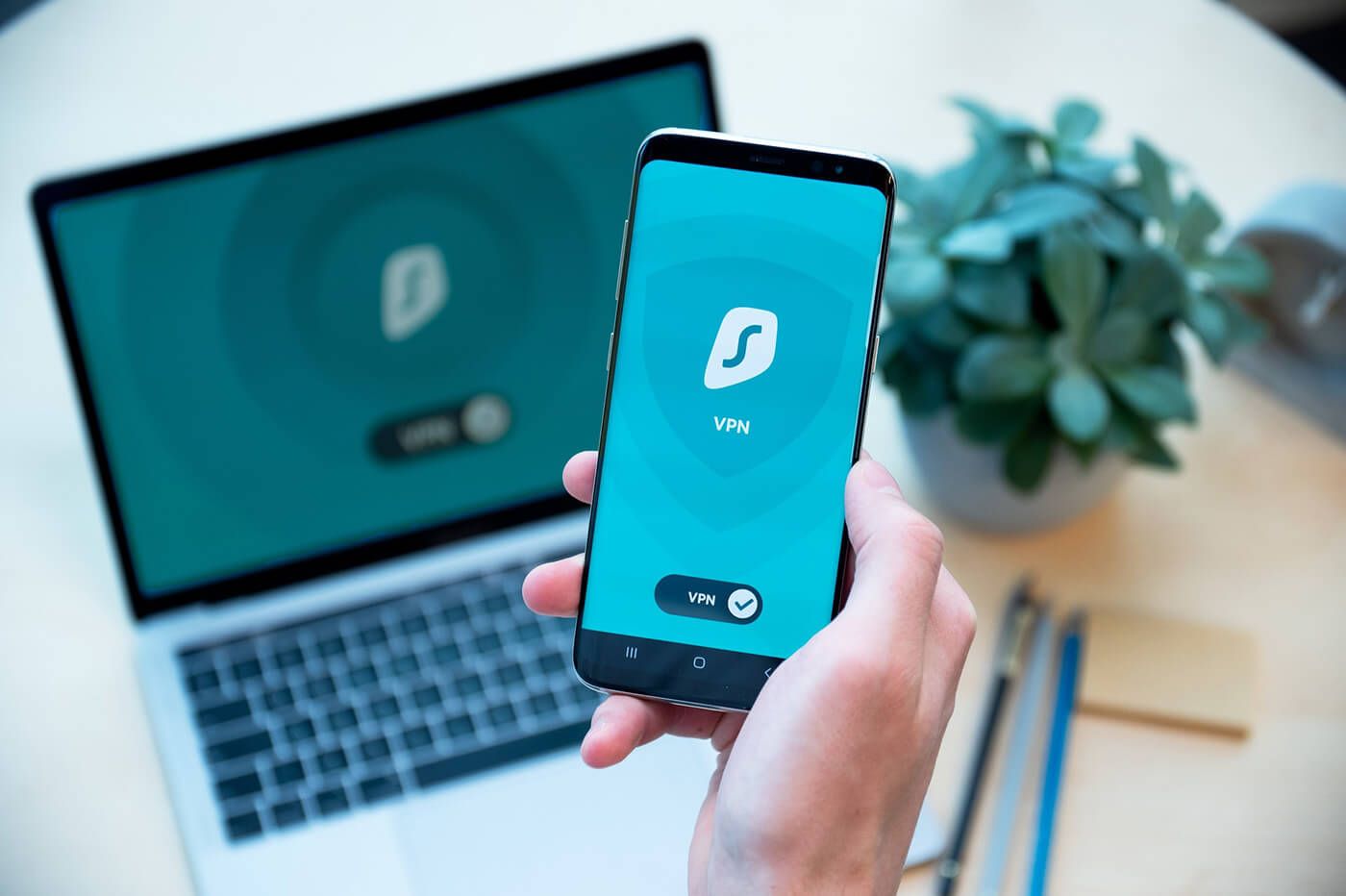
One of the biggest advantages of Surfshark is its unlimited simultaneous connections.

  • Connect all your devices under one account
  • Use it on phones, laptops, tablets, and even smart TVs
  • Perfect for families or multiple users

Unlike many VPNs that limit connections, Surfshark lets you protect everything without extra cost.

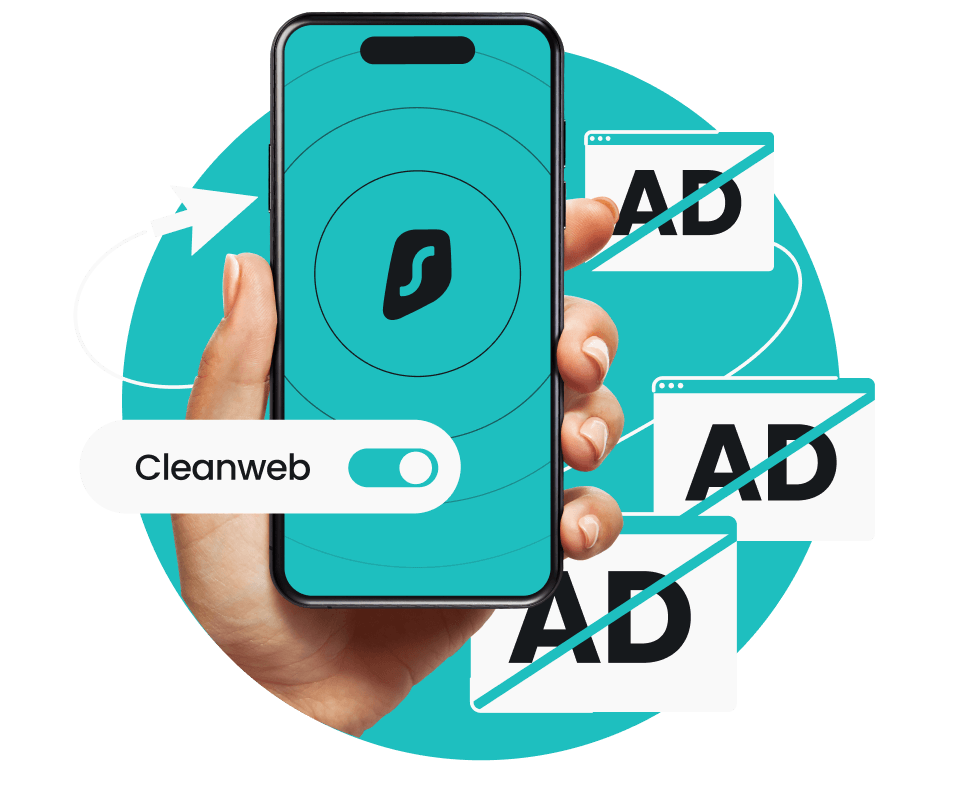
2. Surfshark CleanWeb for Ad-Free Browsing
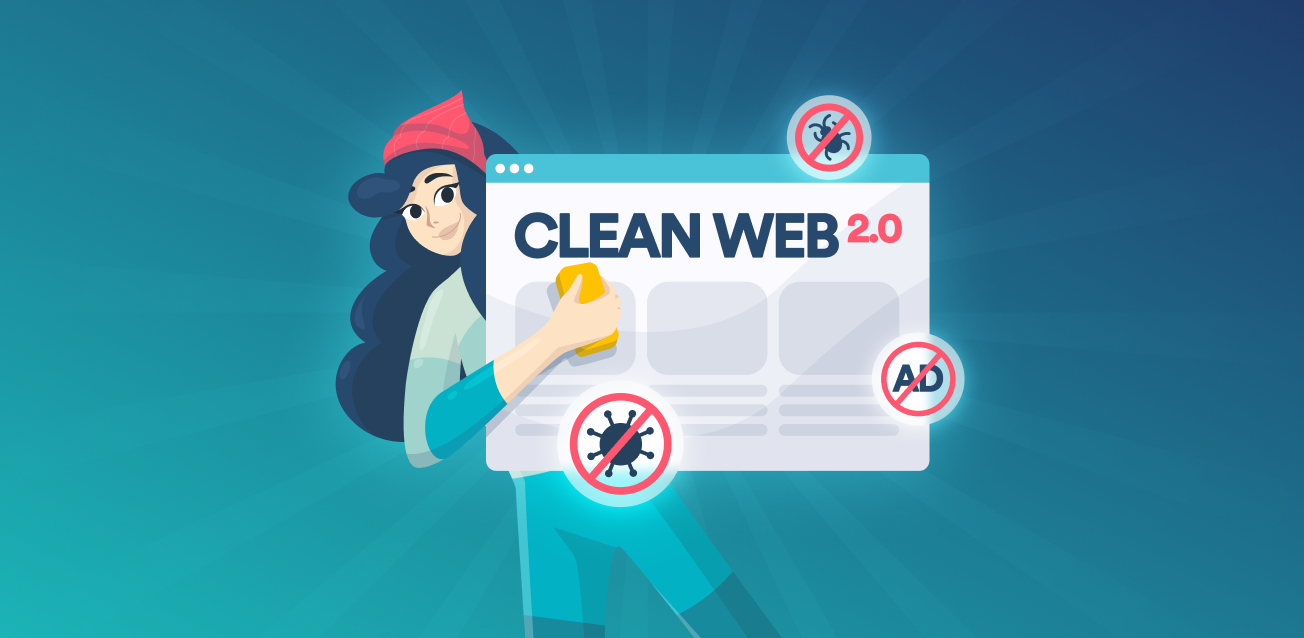
Nobody likes annoying ads or pop-ups and Surfshark solves that with CleanWeb.

  • Blocks ads, trackers, and malware
  • Improves browsing speed
  • Keeps your device safer

This feature creates a smoother, distraction-free experience while also protecting your data.

3. Surfshark MultiHop (Double VPN)
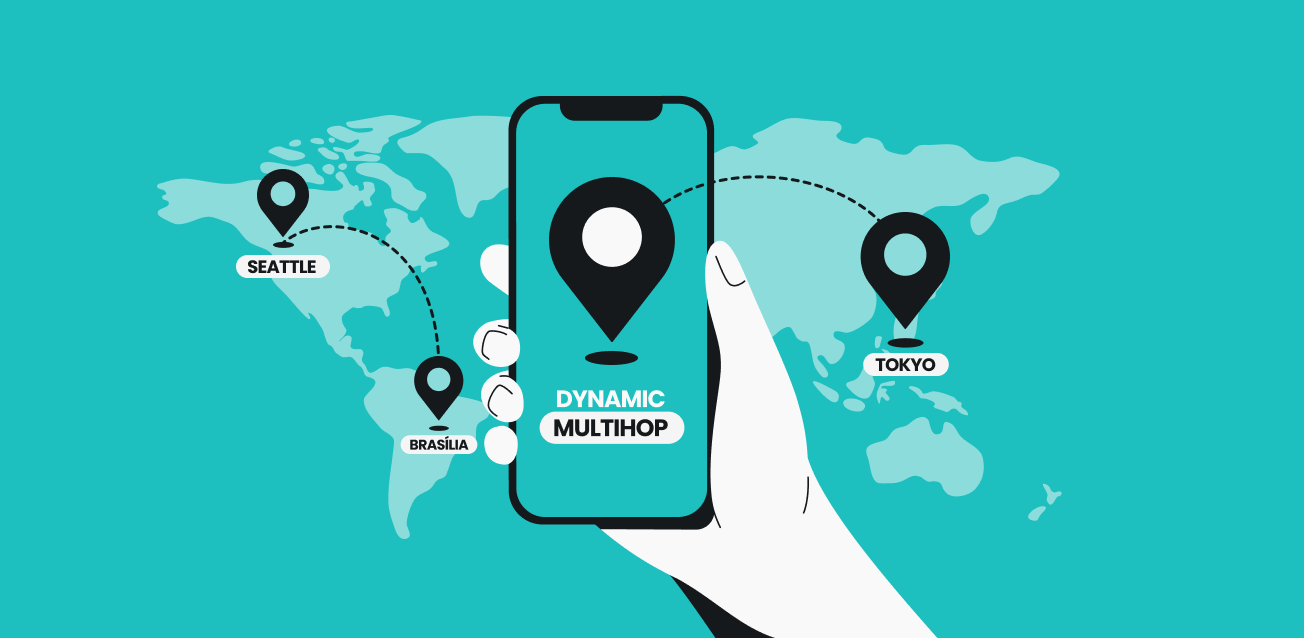
If privacy is your top priority, you’ll love Surfshark’s MultiHop feature.

  • Routes your traffic through two servers
  • Adds an extra layer of encryption
  • Enhances anonymity online

It’s like taking a double-shield approach to your internet security.

4. Surfshark Bypasser (Split Tunneling)
Sometimes, you don’t want everything going through a VPN and that’s where Bypasser comes in.

  • Choose apps that use VPN
  • Let others connect normally
  • Improve speed and flexibility

For example, you can stream local content while browsing securely on other apps.

5. Surfshark Kill Switch for Maximum Safety

Imagine your VPN disconnecting suddenly your data could be exposed. Surfshark prevents this with a Kill Switch.

  • Cuts internet if VPN drops
  • Prevents data leaks
  • Keeps your IP hidden at all times

This feature is essential for anyone serious about privacy.

6. Surfshark Nexus & Rotating IP Technology

Surfshark has introduced advanced tech like Nexus and Rotating IP.

  • Changes your IP address regularly
  • Makes tracking extremely difficult
  • Maintains connection without interruption

This innovative approach boosts both privacy and performance in 2026.

7. Surfshark No-Logs Policy & Strong Encryption
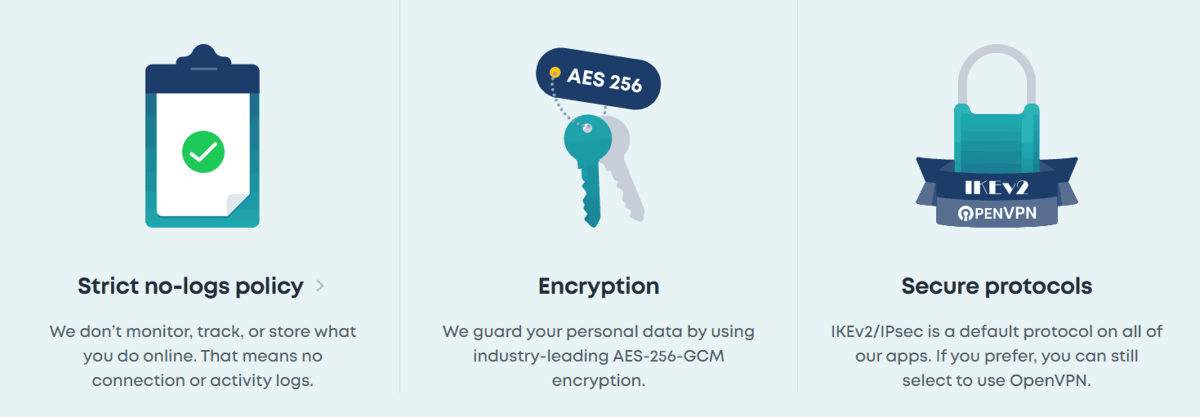
Privacy is at the core of Surfshark.

  • Uses AES-256 encryption
  • No tracking or storing user activity
  • Independently audited systems

This means your browsing history stays private exactly how it should be.

8. Surfshark Dedicated & Static IP Options

Need a consistent IP address? Surfshark offers both Dedicated IP and Static IP features.

  • Dedicated IP: Only you use it
  • Static IP: Same IP every time you connect
  • Useful for secure logins and remote work

This is especially helpful for business users or accessing restricted networks.

9. Surfshark NoBorders Mode for Restricted Regions

Traveling or living in a restricted network area? Surfshark’s NoBorders mode has you covered.

  • Detects network restrictions
  • Suggests best servers automatically
  • Works in heavily restricted regions

It ensures you stay connected no matter where you are.

10. Surfshark Everlink & Auto-Connect Features
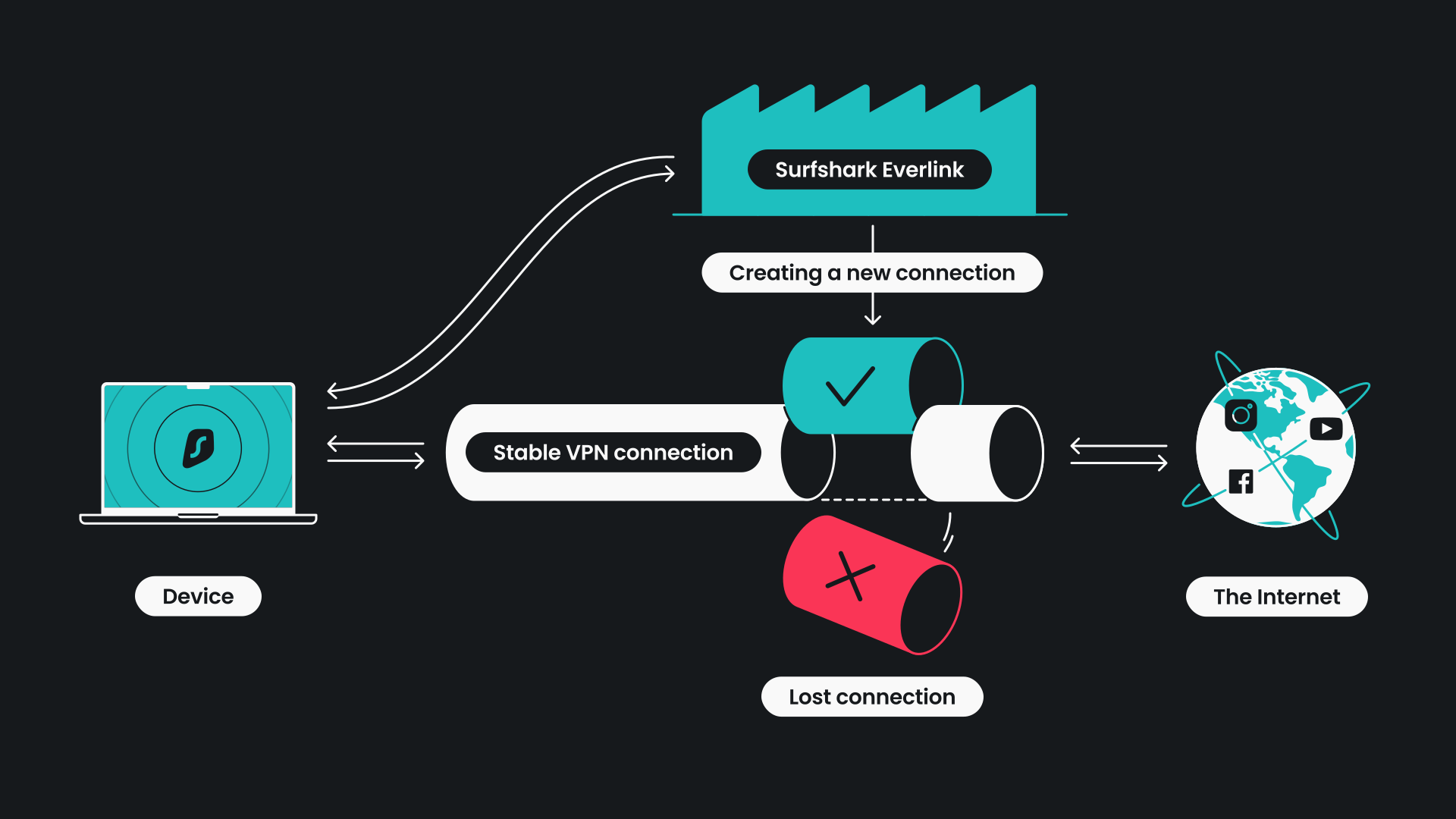
Surfshark focuses heavily on stability and convenience.

  • Everlink automatically restores dropped connections
  • Auto-connect secures you instantly when online
  • Quick-connect finds the fastest server

These features make the experience smooth, especially for beginners.

Why Surfshark Stands Out in 2026

In 2026, VPN users expect more than just basic privacy and Surfshark delivers exactly that.

Here’s what makes it special:

  • Combines security, speed, and ease of use
  • Offers innovative technologies like Nexus
  • Provides excellent value with unlimited devices
  • Continuously updates features for modern needs

It’s no surprise that Surfshark is considered one of the best-value VPNs available today.

Final Thoughts

Choosing the right VPN can feel overwhelming, but Surfshark makes it simple. With features like unlimited connections, CleanWeb, MultiHop, and Rotating IP, it offers everything you need for a secure and smooth online experience.

If you’re looking for a VPN that balances performance, privacy, and affordability, Surfshark is definitely worth considering in 2026.

FAQs About Surfshark

1. Is Surfshark safe to use in 2026?

Yes, Surfshark uses strong encryption and follows a strict no-logs policy, making it highly secure.

2. Can I use Surfshark on multiple devices?

Absolutely. Surfshark allows unlimited device connections on a single account.

3. Does Surfshark slow down internet speed?

Not significantly. It offers high-speed servers and features like Quick-connect to optimize performance.

4. What is Surfshark CleanWeb?

It’s a feature that blocks ads, trackers, and malware for safer browsing.

5. Is Surfshark good for streaming?

Yes, Surfshark helps bypass geo-restrictions and supports smooth streaming experiences.

By understanding these features, you’ll be able to use Surfshark more effectively and enjoy a safer, faster internet in 2026.If you’ve been exploring VPNs lately, chances are you’ve come across Surfshark and for good reason. It’s one of the most talked-about VPN services in 2026, offering a powerful mix of privacy, speed, and user-friendly features. Whether you’re streaming, browsing, or working remotely, understanding what makes Surfshark stand out can help you get the most value from it.

In this blog, let’s break down the top 10 Surfshark features you must know in 2026 in a simple, relatable way.

1. Surfshark Unlimited Device Connections

One of the biggest advantages of Surfshark is its unlimited simultaneous connections.

  • Connect all your devices under one account
  • Use it on phones, laptops, tablets, and even smart TVs
  • Perfect for families or multiple users

Unlike many VPNs that limit connections, Surfshark lets you protect everything without extra cost.

2. Surfshark CleanWeb for Ad-Free Browsing

Nobody likes annoying ads or pop-ups and Surfshark solves that with CleanWeb.

  • Blocks ads, trackers, and malware
  • Improves browsing speed
  • Keeps your device safer

This feature creates a smoother, distraction-free experience while also protecting your data.

3. Surfshark MultiHop (Double VPN)

If privacy is your top priority, you’ll love Surfshark’s MultiHop feature.

  • Routes your traffic through two servers
  • Adds an extra layer of encryption
  • Enhances anonymity online

It’s like taking a double-shield approach to your internet security.

4. Surfshark Bypasser (Split Tunneling)

Sometimes, you don’t want everything going through a VPN and that’s where Bypasser comes in.

  • Choose apps that use VPN
  • Let others connect normally
  • Improve speed and flexibility

For example, you can stream local content while browsing securely on other apps.

5. Surfshark Kill Switch for Maximum Safety

Imagine your VPN disconnecting suddenly your data could be exposed. Surfshark prevents this with a Kill Switch.

  • Cuts internet if VPN drops
  • Prevents data leaks
  • Keeps your IP hidden at all times

This feature is essential for anyone serious about privacy.

6. Surfshark Nexus & Rotating IP Technology

Surfshark has introduced advanced tech like Nexus and Rotating IP.

  • Changes your IP address regularly
  • Makes tracking extremely difficult
  • Maintains connection without interruption

This innovative approach boosts both privacy and performance in 2026.

7. Surfshark No-Logs Policy & Strong Encryption

Privacy is at the core of Surfshark.

  • Uses AES-256 encryption
  • No tracking or storing user activity
  • Independently audited systems

This means your browsing history stays private exactly how it should be.

8. Surfshark Dedicated & Static IP Options

Need a consistent IP address? Surfshark offers both Dedicated IP and Static IP features.

  • Dedicated IP: Only you use it
  • Static IP: Same IP every time you connect
  • Useful for secure logins and remote work

This is especially helpful for business users or accessing restricted networks.

9. Surfshark NoBorders Mode for Restricted Regions

Traveling or living in a restricted network area? Surfshark’s NoBorders mode has you covered.

  • Detects network restrictions
  • Suggests best servers automatically
  • Works in heavily restricted regions

It ensures you stay connected no matter where you are.

10. Surfshark Everlink & Auto-Connect Features

Surfshark focuses heavily on stability and convenience.

  • Everlink automatically restores dropped connections
  • Auto-connect secures you instantly when online
  • Quick-connect finds the fastest server

These features make the experience smooth, especially for beginners.

Why Surfshark Stands Out in 2026

In 2026, VPN users expect more than just basic privacy and Surfshark delivers exactly that.

Here’s what makes it special:

  • Combines security, speed, and ease of use
  • Offers innovative technologies like Nexus
  • Provides excellent value with unlimited devices
  • Continuously updates features for modern needs

It’s no surprise that Surfshark is considered one of the best-value VPNs available today.

Final Thoughts

Choosing the right VPN can feel overwhelming, but Surfshark makes it simple. With features like unlimited connections, CleanWeb, MultiHop, and Rotating IP, it offers everything you need for a secure and smooth online experience.

If you’re looking for a VPN that balances performance, privacy, and affordability, Surfshark is definitely worth considering in 2026.

FAQs About Surfshark

1. Is Surfshark safe to use in 2026?

Yes, Surfshark uses strong encryption and follows a strict no-logs policy, making it highly secure.

2. Can I use Surfshark on multiple devices?

Absolutely. Surfshark allows unlimited device connections on a single account.

3. Does Surfshark slow down internet speed?

Not significantly. It offers high-speed servers and features like Quick-connect to optimize performance.

4. What is Surfshark CleanWeb?

It’s a feature that blocks ads, trackers, and malware for safer browsing.

5. Is Surfshark good for streaming?

Yes, Surfshark helps bypass geo-restrictions and supports smooth streaming experiences.

By understanding these features, you’ll be able to use Surfshark more effectively and enjoy a safer, faster internet in 2026.
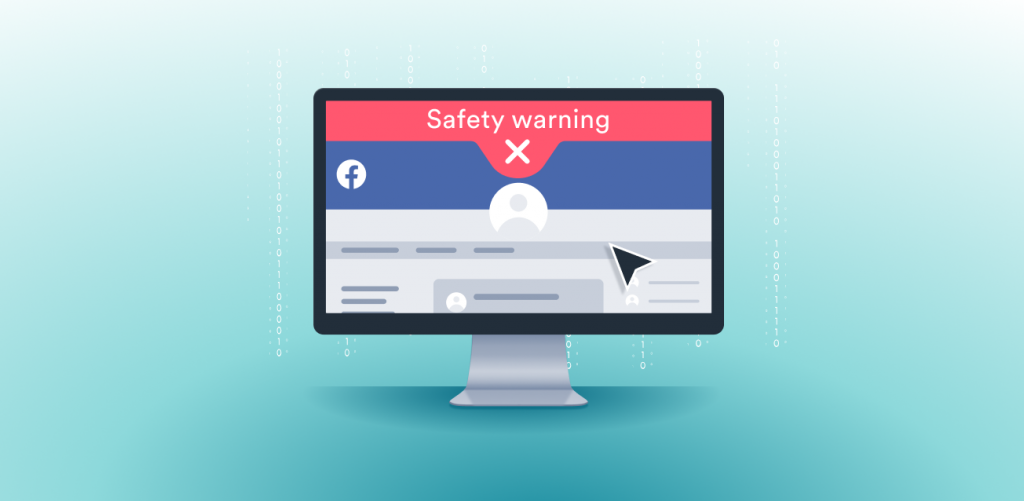
Surfshark CleanWeb Review: Is It Better Than AdBlock?

0

If you’re tired of intrusive ads, pop-ups, and trackers following you around the internet, you’ve probably considered using an ad blocker. But in 2026, tools like Surfshark are going beyond traditional ad-blocking and that’s where Surfshark CleanWeb comes in.

So the big question is: Is Surfshark CleanWeb better than AdBlock? Let’s break it down in a simple, friendly way so you can decide what’s right for you.

What Is Surfshark CleanWeb in Surfshark?

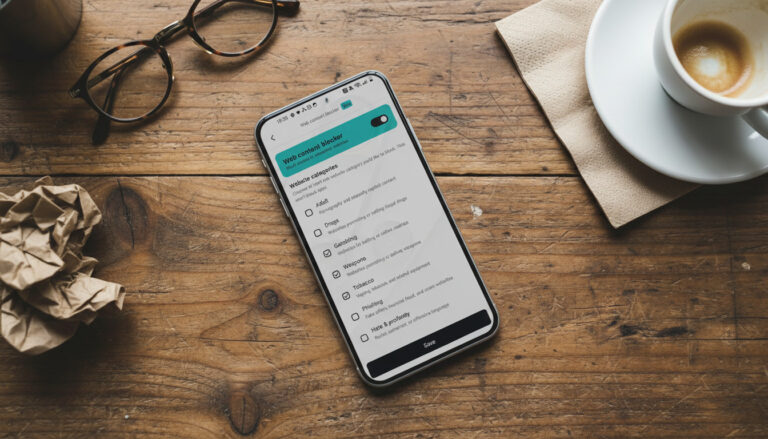
Surfshark CleanWeb is an integrated feature within Surfshark that blocks ads, trackers, and malicious websites before they even load.

  • Blocks ads, pop-ups, and banners
  • Stops trackers from collecting your data
  • Protects against phishing and malware sites
  • Works across apps and browsers

Unlike traditional ad blockers, CleanWeb works at a network level (DNS filtering), meaning it can block ads not just in browsers but also inside apps.

How Surfshark CleanWeb Works in Surfshark

The way Surfshark CleanWeb works is actually quite clever.

  • It filters harmful domains before they reach your device
  • Prevents ads from loading instead of hiding them
  • Reduces data usage and speeds up browsing
  • Adds an extra layer of security

This means fewer distractions and a smoother browsing experience overall.

Surfshark CleanWeb 2.0 in Surfshark: What’s New?

Surfshark has upgraded its feature with CleanWeb 2.0, especially for browser users.

  • Blocks cookie pop-ups automatically
  • Stops ads on platforms like YouTube (browser-based)
  • Alerts you about data breaches
  • Warns about malicious websites

It can even work without turning on the VPN, making it more flexible than before.

Surfshark CleanWeb vs AdBlock: Key Differences in Surfshark

Now let’s compare Surfshark CleanWeb with traditional ad blockers like AdBlock or uBlock Origin.

1. Surfshark CleanWeb vs AdBlock: Coverage

  • Surfshark CleanWeb
    • Works across apps, browsers, and devices
    • System-wide protection
  • AdBlock
    • Mostly browser-based
    • Limited to web pages

CleanWeb clearly wins if you want full-device protection.

2. Surfshark CleanWeb vs AdBlock: Features

  • Surfshark CleanWeb
    • Ad blocking and tracker blocking
    • Malware and phishing protection
    • Cookie pop-up blocking
    • Data breach alerts
  • AdBlock
    • Focuses mainly on blocking ads
    • Limited security features

CleanWeb acts more like a security suite, not just an ad blocker.

3. Surfshark CleanWeb vs AdBlock: Customization

  • Surfshark CleanWeb
    • Simple on/off toggles
    • Minimal customization
  • AdBlock
    • Advanced filter lists
    • Manual blocking options
    • Whitelisting specific sites

If you like control and tweaking, AdBlock is better.

4. Surfshark CleanWeb vs AdBlock: Ease of Use

  • Surfshark CleanWeb
    • Beginner-friendly
    • No setup needed
  • AdBlock
    • May require configuration for best results

CleanWeb is perfect for users who want a “set it and forget it” experience.

Pros of Surfshark CleanWeb in Surfshark

Let’s quickly highlight what makes Surfshark CleanWeb attractive:

  • Blocks ads, trackers, and malicious sites in one tool
  • Works across multiple platforms and devices
  • Improves browsing speed and reduces data usage
  • Includes security features beyond ad blocking
  • Integrated with Surfshark VPN for full protection

Cons of Surfshark CleanWeb in Surfshark

No tool is perfect, and CleanWeb has a few limitations:

  • Limited customization compared to AdBlock
  • May not block every single ad
  • Works best when combined with Surfshark VPN
  • Less control over filters and rules

Some users also report inconsistent ad-blocking performance in certain scenarios, especially compared to advanced blockers.

This shows that while CleanWeb is convenient, it may not match the precision of dedicated tools.

When Should You Choose Surfshark CleanWeb?

Surfshark CleanWeb is ideal if:

  • You want an all-in-one privacy solution
  • You already use Surfshark VPN
  • You prefer simplicity over technical settings
  • You need protection across apps and devices

When AdBlock Might Be Better Than Surfshark CleanWeb

Traditional ad blockers are better if:

  • You want maximum ad-blocking accuracy
  • You prefer customization and control
  • You only need browser-based protection
  • You’re a power user who likes tweaking filters

Is Surfshark CleanWeb Better Than AdBlock?

The answer depends on your needs.

  • If you want simplicity, security, system-wide protection Surfshark CleanWeb is better
  • If you want precision, customization, advanced control AdBlock wins

In reality, many users combine both for the best results.

Final Verdict on Surfshark CleanWeb in Surfshark

Surfshark CleanWeb is not just an ad blocker, it’s a privacy-focused tool that enhances your overall online experience. It may not replace advanced ad blockers completely, but it offers something unique: convenience and security in one package.

If you’re already using Surfshark, enabling CleanWeb is a no-brainer. But if you’re a heavy internet user who demands perfect ad blocking, pairing it with a traditional AdBlock tool might be the smartest move.

FAQs About Surfshark CleanWeb

1. Is Surfshark CleanWeb free?

It’s included with Surfshark subscriptions, so there’s no extra cost.

2. Does Surfshark CleanWeb block all ads?

Not all, but it blocks most ads, trackers, and malicious content.

3. Can I use Surfshark CleanWeb without VPN?

Yes, CleanWeb 2.0 works in browser extensions without VPN.

4. Is Surfshark CleanWeb safe?

Yes, it adds an extra layer of security by blocking harmful websites.

5. Should I use Surfshark CleanWeb with AdBlock?

Yes, combining both can give you maximum protection and better results.

By understanding how Surfshark CleanWeb works and how it compares to AdBlock, you can choose the right setup for a faster, safer, and cleaner browsing experience in 2026.

Stay Anonymous Online How Surfshark Alternative ID Protects Your Identity

0

In today’s digital world, protecting your personal identity has become more important than ever. Every time you sign up for a website, enter your email, or share your name, you leave behind a trail of personal data. Over time, this data can be tracked, sold, or even misused.

This is where Surfshark steps in with a smart solution called Alternative ID. It is designed to help you stay private online without changing how you use the internet.

Let us explore how Surfshark Alternative ID works and why it is becoming a must have feature in 2026.

Surfshark Alternative ID in Surfshark What It Is and How It Works

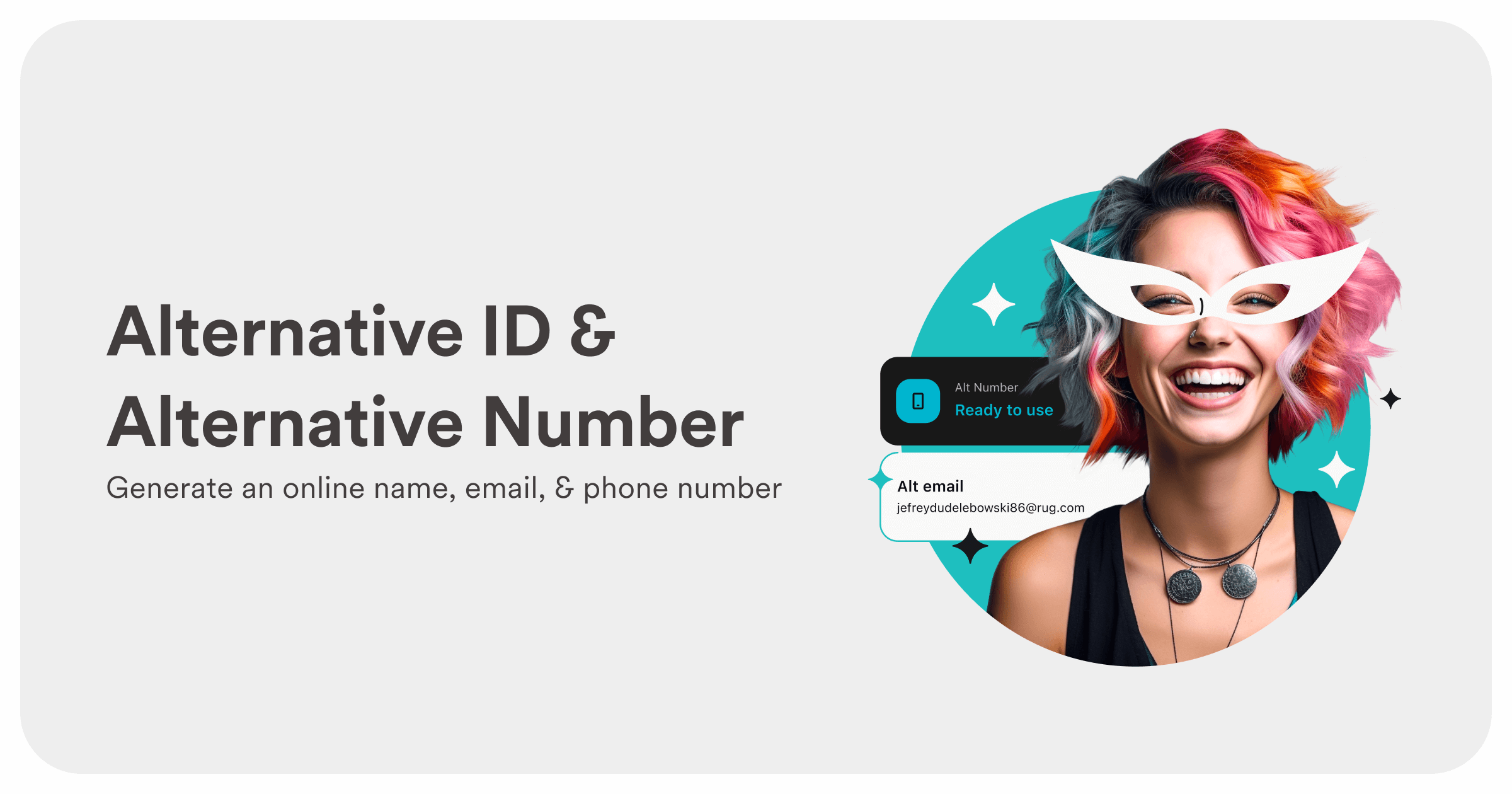
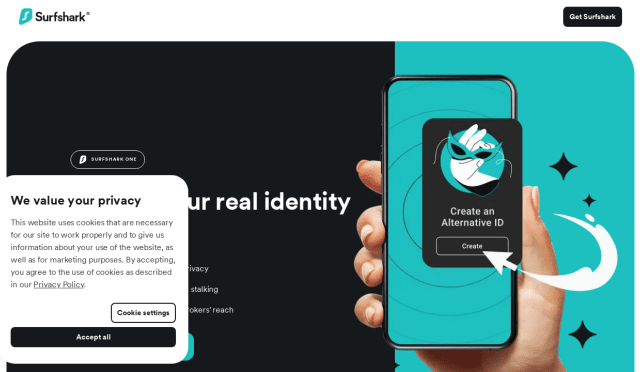
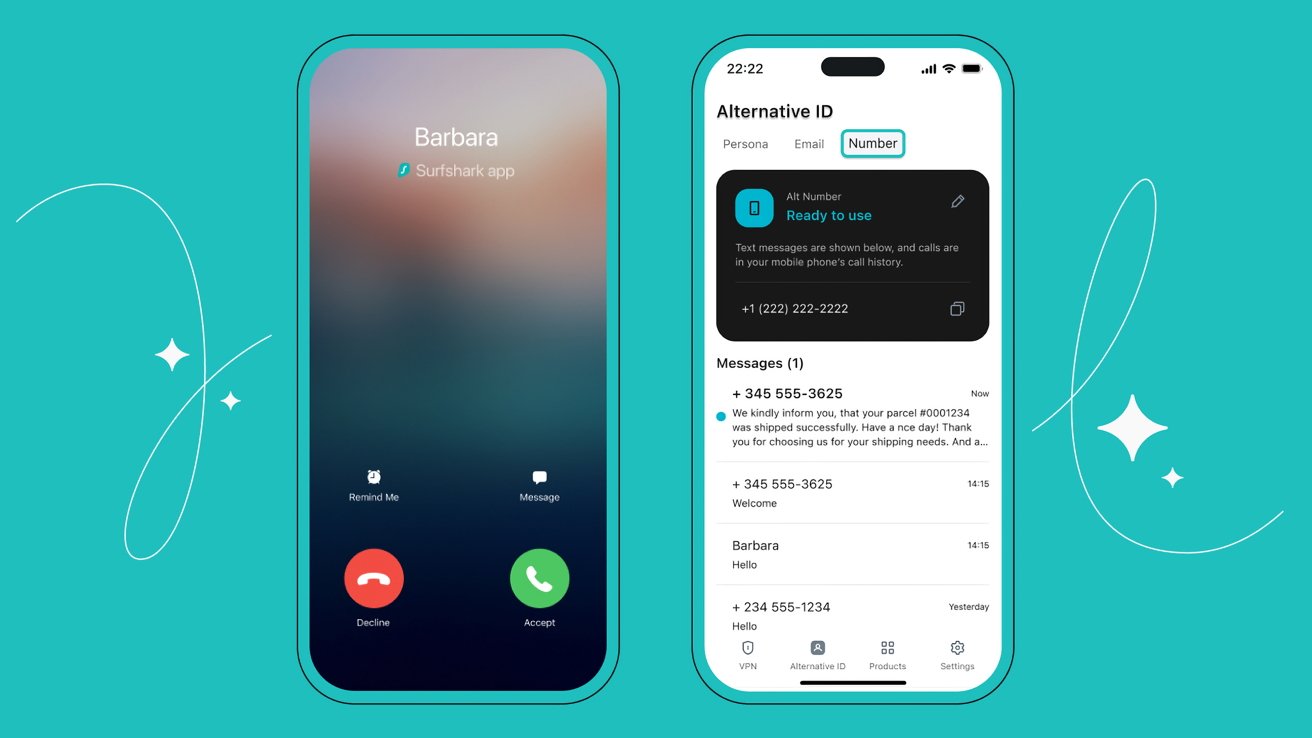
Surfshark Alternative ID is a privacy feature that creates a new digital identity for you. Instead of using your real personal details, you can use this alternative identity when signing up for websites or services.

This helps you avoid sharing your real information with unknown platforms.

Here is what Surfshark Alternative ID offers

• Generates a new name and identity profile
• Creates an alternative email address
• Protects your real inbox from spam
• Keeps your real identity hidden online
• Easy to use within the Surfshark app

When you use this feature, your emails are forwarded to your real inbox. So you do not miss anything important, but your actual email address stays private.

Helpful tip
Use Alternative ID when signing up for newsletters, free trials, or unfamiliar websites. It keeps your main inbox clean and safe.

Surfshark Alternative ID in Surfshark Key Benefits for Everyday Users

Surfshark Alternative ID is not just for tech experts. It is designed for everyday users who want simple privacy without extra effort.

Here are the key benefits you will notice

• Reduced spam emails in your main inbox
• Better protection from data leaks
• Lower risk of identity theft
• More control over where your data goes
• Peace of mind while browsing and signing up online

Many websites collect more data than needed. With Surfshark Alternative ID, you can limit what you share without skipping the service.

Helpful tip
If a website asks for more details than necessary, use your alternative identity instead of your real one.

Surfshark Alternative ID in Surfshark Real Life Use Cases and Practical Value

You might be wondering when exactly you should use Surfshark Alternative ID. The answer is simple. Almost anytime you are unsure about sharing your real details.

Here are some common situations where it helps

• Signing up for online shopping websites
• Registering for free trials or subscriptions
• Joining forums or online communities
• Downloading ebooks or digital content
• Accessing limited time offers or promotions

In all these cases, you can avoid giving away your real email or personal details.

Over time, this reduces your exposure to spam, scams, and unwanted tracking.

Helpful tip
Create different alternative identities for different types of websites. This makes it easier to manage and track where your data is used.

Surfshark Alternative ID in Surfshark Final Verdict and Why It Matters

Surfshark Alternative ID is a simple but powerful tool for modern internet users. It helps you take control of your personal information without changing your daily habits.

Instead of worrying about where your data goes, you can browse, sign up, and explore the internet with confidence.

Here is why Surfshark Alternative ID stands out

• Easy to use for beginners
• Works smoothly with your existing email
• Adds a strong layer of identity protection
• Reduces spam and unwanted messages
• Gives you more privacy without effort

While it may not replace all privacy tools, it works perfectly alongside other Surfshark features like VPN and CleanWeb.

Helpful tip
Turn on Alternative ID before your next online signup. It is one of the easiest ways to protect your identity instantly.

Final Thoughts on Surfshark Alternative ID in Surfshark

In 2026, online privacy is no longer optional. It is essential. Surfshark Alternative ID makes it simple to stay protected without feeling restricted.

You do not need technical skills or complicated setups. Just a smarter way to share your information.

If you value your privacy and want a cleaner online experience, Surfshark offers a solution that fits right into your daily life.

FAQs About Surfshark Alternative ID

1 What is Surfshark Alternative ID
It is a feature that creates a separate identity and email to protect your real personal details online

2 Is Surfshark Alternative ID free
It is included with Surfshark plans at no extra cost

3 Can I receive emails using Alternative ID
Yes, emails are forwarded to your real inbox safely

4 Is Surfshark Alternative ID safe to use
Yes, it is designed to protect your identity and reduce data exposure

5 When should I use Surfshark Alternative ID
Use it whenever you sign up for websites, especially those you do not fully trust

By using Surfshark Alternative ID, you take a smart step toward safer and more private internet usage without making things complicated.

Surfshark vs NordVPN Features Comparison Which VPN Wins in 2026

0

Choosing the right VPN can feel confusing, especially when two big names like Surfshark and NordVPN are often compared side by side. Both offer strong security, fast speeds, and useful features, but they are not exactly the same.

If you are trying to decide which one fits your needs better, this guide will help you understand the key differences in a simple and friendly way. Let us explore how Surfshark compares to NordVPN and which one might be the better choice for you.

Surfshark Features That Make It Stand Out

Surfshark has gained a lot of popularity because it offers powerful features at a very user friendly price. It focuses on simplicity, flexibility, and strong privacy.

Here are some standout features of Surfshark

• Unlimited device connections so you can protect all your devices with one account
• CleanWeb feature to block ads, trackers, and harmful websites
• MultiHop option that routes your traffic through two servers for extra privacy
• Alternative ID to protect your real identity during sign ups
• NoBorders mode to work in restricted regions
• Rotating IP feature that changes your IP address regularly

One of the biggest advantages is that Surfshark does not limit how many devices you can use. This makes it a great choice for families or users with multiple gadgets.

Helpful tip
If you share your VPN with family members, Surfshark can save you money since you do not need multiple subscriptions.

Surfshark vs NordVPN Core Feature Comparison

Now let us look at how Surfshark compares directly with NordVPN in key areas.

Security and privacy

• Surfshark uses strong encryption and follows a strict no logs policy
• NordVPN also offers high level encryption and privacy protection
• Both include a kill switch to prevent data leaks

Performance and speed

• Surfshark offers fast and stable connections for streaming and browsing
• NordVPN is slightly more consistent in speed across long distance servers
• Both are reliable for everyday use

Device support

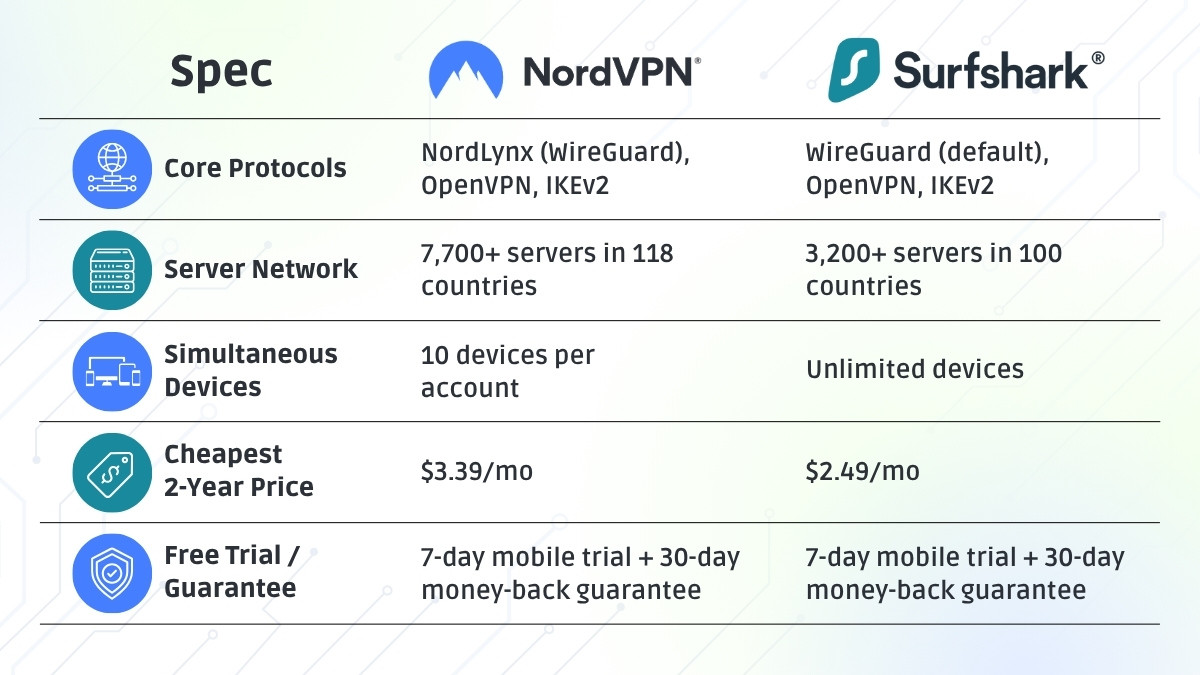
• Surfshark allows unlimited devices on one account
• NordVPN limits the number of devices per subscription

Extra features

• Surfshark includes CleanWeb, Alternative ID, and Rotating IP
• NordVPN offers features like Threat Protection and Meshnet

Ease of use

• Surfshark has a simple and beginner friendly interface
• NordVPN is also easy to use but may feel slightly more feature heavy

Helpful tip
If you prefer a simple setup with fewer decisions, Surfshark is easier to get started with.

Surfshark Pricing and Value Comparison

Price often plays a big role when choosing a VPN. This is where Surfshark clearly stands out.

Here is how they compare in terms of value

• Surfshark is generally more affordable for long term plans
• NordVPN is slightly more expensive but offers premium performance
• Surfshark gives more value with unlimited device connections
• Both often provide discounts and deals on their websites

For users on a budget, Surfshark offers a great balance between cost and features. You get strong security without paying a high price.

Helpful tip
Look for long term plans if you want the best deal. VPN services often give big discounts for extended subscriptions.

Surfshark Streaming and Everyday Use Experience

A VPN is not just about security. It is also about how well it fits into your daily routine.

Here is how Surfshark performs in everyday use

• Smooth streaming experience with access to global content
• Reliable connections for video calls and remote work
• Fast browsing with fewer interruptions
• CleanWeb improves browsing by removing ads and trackers

NordVPN also performs very well in these areas, especially in maintaining stable speeds for streaming.

However, Surfshark combination of ease of use and extra features makes it feel more flexible for everyday users.

Helpful tip
If you enjoy streaming on multiple devices at once, Surfshark is a better choice due to unlimited connections.

Surfshark Final Verdict Which One Should You Choose

Both Surfshark and NordVPN are excellent VPN services, but they serve slightly different types of users.

Choose Surfshark if you want

• Affordable pricing with great value
• Unlimited device connections
• Simple and easy to use interface
• Extra features like Alternative ID and CleanWeb

Choose NordVPN if you want

• Slightly better speed consistency
• Advanced networking features
• A more premium focused experience

For most everyday users, Surfshark offers everything you need in one package. It is easy to use, budget friendly, and packed with useful features.

Helpful tip
If you are new to VPNs, start with Surfshark. It is simple to use and gives you a strong introduction to online privacy.

Final Thoughts on Surfshark vs NordVPN

At the end of the day, the best VPN depends on your personal needs. Both options are reliable and trusted by millions of users worldwide.

Surfshark stands out for its flexibility, affordability, and user friendly design. It makes online privacy simple and accessible for everyone.

If you are looking for a VPN that delivers strong performance without making things complicated, Surfshark is a smart choice in 2026.

FAQs About Surfshark vs NordVPN

1 Is Surfshark better than NordVPN
It depends on your needs. Surfshark is better for value and unlimited devices, while NordVPN may offer slightly better speed consistency

2 Can I use Surfshark on multiple devices
Yes, Surfshark allows unlimited device connections on one account

3 Which VPN is more affordable
Surfshark is usually more budget friendly compared to NordVPN

4 Is Surfshark good for streaming
Yes, it provides smooth streaming and access to global content

5 Should beginners choose Surfshark or NordVPN
Surfshark is more beginner friendly due to its simple interface and easy setup

By understanding these differences, you can confidently choose the VPN that fits your lifestyle and enjoy a safer and smoother online experience.

Surfshark Coupon & Deals (Updated Monthly)

0

If you’re searching for the best Surfshark coupon and deals, you’re in the right place. Whether you want to protect your online privacy, stream content globally, or secure multiple devices, Surfshark offers some of the most budget-friendly VPN deals available today.

In this regularly updated guide, we’ll walk you through the latest Surfshark coupon codes, discounts, and money-saving tips so you can get maximum value every month.

Surfshark Coupon: Latest Surfshark Deals (March 2026)

Let’s start with the most important part, the latest Surfshark deals you can grab right now:

  • Up to 87% OFF on long-term plans
  • Plans starting as low as $1.99/month
  • +3 to 4 months FREE on selected subscriptions
  • Student discounts up to 85–95% OFF
  • Extra 10–15% OFF with promo codes
  • 30-day money-back guarantee on all plans

Many of these deals are automatically applied when you visit the official Surfshark website, no code needed.

Surfshark Coupon: How to Get the Best Surfshark Deal

Getting the best Surfshark coupon isn’t just about applying random codes. Here’s how smart users maximize savings:

Choose Long-Term Plans

The biggest discounts (80%–90%) are usually on 2-year plans.

Look for Bundle Offers

Surfshark often bundles:

  • VPN
  • Antivirus
  • Data breach alerts
    These come under Surfshark One or One+ plans.

Stack Discounts

You can sometimes combine:

  • Seasonal deals
  • Student discounts
  • Referral bonuses

Use Official Links

Most top deals are auto-applied, meaning you don’t even need to enter a coupon manually.

Surfshark Coupon: Why Surfshark Deals Are Worth It

Before grabbing a Surfshark coupon, it’s important to know what you’re actually getting.

Unlimited Devices

Unlike most VPNs, Surfshark allows unlimited simultaneous connections, making it perfect for families.

Fast & Reliable Performance

It’s known for:

  • High-speed servers
  • Smooth streaming
  • Low lag gaming

Strong Security Features

  • AES-256 encryption
  • Kill switch
  • No-logs policy
  • MultiHop (double VPN)

Extra Features

  • Ad blocker (CleanWeb)
  • Private search
  • Identity protection tools

These features make Surfshark one of the best value VPNs in 2026.

Surfshark Coupon: Types of Surfshark Discounts Available

Here are the main types of Surfshark deals you’ll find:

1. Seasonal Surfshark Deals

Big discounts during:

  • Black Friday
  • Cyber Monday
  • New Year sales

Savings can reach up to 85–90% OFF.

2. Surfshark Student Discount

Students can enjoy:

  • Up to 85% OFF and extra 15% discount

Perfect if you’re studying and want affordable privacy.

3. Surfshark Referral Program

Invite friends and get:

  • Free subscription months
  • Bonus rewards

4. Surfshark Coupon Codes

Occasionally available:

  • 5%–15% OFF extra
  • Special promo codes

Surfshark Coupon: How to Apply a Surfshark Coupon Code

If you do have a code, here’s how to use it:

  1. Visit the official Surfshark website
  2. Choose your preferred plan
  3. Go to checkout
  4. Enter your coupon code
  5. Click “Apply”

Done! Your discount will be applied instantly.

Surfshark Coupon: Pricing Breakdown After Discounts

Here’s what typical Surfshark pricing looks like with deals applied:

Plan TypeDiscounted Price
Monthly Plan$12–$15/month
1-Year Plan$3–$4/month
2-Year Plan$1.99–$2.49/month

Long-term plans offer the best value by far.

Surfshark Coupon: Updated Monthly Deals, What to Expect

Since this guide is updated monthly, here’s what usually changes:

  • Discount percentages (80%–90%)
  • Free bonus months (2–4 months)
  • Limited-time coupon codes
  • Special bundle offers

Tip: Deals are often consistent year-round, so you don’t always have to wait for big sales.

Surfshark Coupon: Tips to Save Even More

Want to go beyond just using a Surfshark coupon? Try these:

  • Always pick a 2-year plan
  • Check for free months offers
  • Use student discounts if eligible
  • Look for cashback deals
  • Cancel before renewal if you want to avoid higher prices

Surfshark Coupon: Is Surfshark Worth It in 2026?

Absolutely. With:

  • Massive discounts
  • Unlimited device connections
  • Strong security features

Surfshark delivers excellent value for money, especially when combined with the latest coupons and deals.

In fact, many experts highlight it as one of the best budget VPNs available, thanks to its pricing and performance balance.

Final Thoughts on Surfshark Coupon & Deals

If you’re looking for an affordable yet powerful VPN, using a Surfshark coupon is one of the smartest ways to save money while staying secure online.

To summarize:

  • You can save up to 90% OFF
  • Plans can drop as low as $1.99/month
  • Extra months and bonuses add even more value

The best part? Most deals are already built into the official site, making it easy to grab a discount without hassle.

FAQs About Surfshark Coupon

1. Do Surfshark coupon codes really work?

Yes, but most of the best deals are automatically applied, so codes are often optional.

2. What is the best Surfshark deal right now?

Currently, you can get up to 87% OFF and extra free months on long-term plans.

3. Can I use multiple Surfshark coupons?

Usually no, but some discounts (like student offers) may stack.

4. Does Surfshark offer a free trial?

Yes, there’s a 7-day free trial and a 30-day money-back guarantee.

5. Is Surfshark better than other VPNs?

For pricing and unlimited devices, Surfshark is one of the best value VPNs available today.

Why TikTok Shop is the Future of E-commerce for D2C Brands

0

In today’s fast moving digital world, direct to consumer brands are constantly looking for smarter ways to reach customers. Traditional online stores are no longer enough. Shoppers want speed, trust, and entertainment all in one place. This is where TikTok is changing the game.

With TikTok Shop, brands are no longer just selling products. They are telling stories, building communities, and turning content into conversions. Let’s explore why TikTok Shop is quickly becoming the future of e commerce for D2C brands in 2026.

How TikTok is Redefining E-commerce for D2C Brands

TikTok is not just a social media platform anymore. It is a discovery engine where users find trends, ideas, and now products.

For D2C brands, this is a big advantage. Instead of waiting for customers to search for products, TikTok brings products directly to them through engaging content.

This shift is powerful because:

  • Customers discover products naturally while scrolling
  • Content feels entertaining instead of promotional
  • Buying decisions happen instantly without overthinking

TikTok blends shopping with entertainment, making the entire experience smooth and enjoyable.

Why TikTok Shop Makes Buying Effortless

One of the biggest reasons TikTok Shop is growing so fast is its seamless buying experience.

Users can go from watching a video to completing a purchase in just a few taps. There is no need to switch apps or visit external websites.

Here is what makes it so effective:

  • In app checkout keeps users engaged
  • Product links are integrated directly into videos
  • Quick payment options reduce drop offs
  • Minimal steps lead to faster decisions

For D2C brands, this means fewer lost customers and more completed sales.

TikTok Content Drives Real Customer Trust

Trust is everything in e commerce, especially for D2C brands that do not have physical stores.

TikTok builds trust through real and relatable content. Instead of polished ads, users see everyday people sharing genuine experiences.

This works because:

  • Creators show how products work in real life
  • Reviews feel honest and unscripted
  • Comment sections provide social proof
  • Customers can ask questions and get quick replies

This level of transparency helps brands connect with audiences in a more human way.

TikTok Creators Help D2C Brands Grow Faster

Creators are at the heart of TikTok’s success. They understand how to capture attention and keep viewers engaged.

For D2C brands, partnering with creators can unlock massive growth.

Here is how creators add value:

  • They introduce products to new audiences
  • They create engaging and relatable content
  • They build trust with their followers
  • They influence buying decisions naturally

Even small creators can drive big results because TikTok’s algorithm gives everyone a chance to go viral.

TikTok Live Shopping Boosts Instant Sales

Live shopping has become one of the most exciting features on TikTok.

It allows brands and creators to showcase products in real time while interacting with viewers. This creates a sense of urgency and excitement.

Benefits of TikTok live shopping include:

  • Real time product demonstrations
  • Instant answers to customer questions
  • Limited time offers that encourage quick action
  • A more interactive and fun shopping experience

For D2C brands, this is like hosting a digital store event that customers can join from anywhere.

TikTok Helps D2C Brands Go Viral Without Huge Budgets

One of the biggest challenges for D2C brands is marketing cost. Traditional advertising can be expensive and not always effective.

TikTok solves this problem by focusing on content, not budget.

Here is why it works:

  • Organic reach is still strong compared to other platforms
  • Creative content matters more than expensive production
  • Trends can boost visibility quickly
  • Small brands can compete with larger companies

A single creative video can bring thousands of views and sales without heavy spending.

Tips to Succeed with TikTok Shop for D2C Brands

If you want to make the most of TikTok Shop, focus on building a strong content strategy.

Here are some simple tips to help you grow:

  • Create short and engaging videos that grab attention quickly
  • Show your product in real life situations
  • Focus on storytelling instead of direct selling
  • Collaborate with creators who match your brand style
  • Use trending sounds and formats to increase reach
  • Respond to comments to build trust and connection

Consistency is key. The more you post, the more chances you have to go viral.

Why TikTok is Perfect for Modern Shoppers

Modern consumers want more than just products. They want experiences.

TikTok delivers exactly that by combining entertainment, discovery, and shopping in one place.

Users love TikTok Shop because:

  • It feels fun and engaging
  • It offers quick and easy purchases
  • It provides authentic recommendations
  • It helps them discover new brands effortlessly

This makes TikTok an ideal platform for D2C brands looking to connect with today’s audience.

The Future of TikTok and D2C E commerce

The future of e commerce is all about integration and personalization. TikTok is already leading this transformation.

In the coming years, we can expect:

  • Smarter product recommendations
  • More advanced creator tools
  • Better analytics for brands
  • Enhanced live shopping experiences

As TikTok continues to evolve, D2C brands that adapt early will have a strong advantage.

Final Thoughts on TikTok as the Future of E commerce

TikTok Shop is more than just a trend. It is a new way of doing business.

By combining content, community, and commerce, TikTok is helping D2C brands grow faster and connect with customers in meaningful ways.

If you are a D2C brand looking to scale in 2026, TikTok Shop is not just an option. It is an opportunity you should not miss.

How Proton VPN’s No Logs Policy Protects Your Digital Identity

Online privacy has become one of the biggest concerns in the digital age. Every time someone browses the internet, their activity may be tracked by websites, advertisers, internet service providers, and sometimes even governments. This level of data collection can create detailed digital profiles of users without their knowledge.

To address this issue, privacy tools such as ProtonVPN have become essential. Available at ProtonVPN, ProtonVPN is designed to protect user privacy through strong encryption and a strict no logs policy.

This no logs policy plays a crucial role in protecting digital identity by ensuring that browsing activity is never stored or recorded.

What the ProtonVPN No Logs Policy Means

A no logs policy means that the VPN provider does not collect or store information about user activity. This includes browsing history, connection timestamps, IP addresses, and other identifiable data.

When using ProtonVPN, the company does not maintain records of what users do online. Even if external parties attempt to request user data, there are no stored logs that can reveal browsing activity.

This policy provides several important protections

• No tracking of browsing history
• No storage of user connection records
• No monitoring of internet activity
• Stronger protection against surveillance

By eliminating activity logs, ProtonVPN ensures that users maintain control over their digital identity.

Why Data Logging Is a Privacy Risk

Many online services collect user data to improve marketing strategies or analyze customer behavior. While this practice is common, it can also create privacy risks.

If a VPN provider logs user activity, that data may potentially be accessed by third parties through legal requests, cyberattacks, or internal misuse.

Common risks associated with data logging include

• Exposure of browsing history
• Identification of user locations and IP addresses
• Tracking of online habits and preferences
• Increased vulnerability to data breaches

A strict no logs policy helps eliminate these risks by ensuring that such data is never stored in the first place.

ProtonVPN’s Privacy Focused Infrastructure

ProtonVPN operates under a privacy focused infrastructure designed to protect user data. The company is based in Switzerland, a country known for strong privacy laws and strict data protection regulations.

This legal environment supports ProtonVPN’s commitment to protecting user anonymity.

Key privacy advantages include

• Swiss privacy laws that support data protection
• Secure server infrastructure
• Advanced encryption protocols
• Minimal data collection practices

Together, these elements create a strong privacy framework for ProtonVPN users.

How ProtonVPN Protects Digital Identity Online

Digital identity includes all the information that can be used to identify an individual online. This includes IP addresses, browsing habits, device information, and location data.

ProtonVPN protects digital identity by masking the user’s real IP address and encrypting internet traffic. This makes it difficult for external parties to monitor or track user activity.

Protection features include

• Hidden IP addresses through secure servers
• Encrypted communication channels
• Protection from online tracking
• Reduced exposure to targeted surveillance

These protections allow users to browse the internet with greater privacy and security.

The Importance of Privacy in the Modern Internet

As online activity continues to grow, protecting digital identity has become more important than ever. People rely on the internet for work, communication, banking, and entertainment. Without proper privacy tools, sensitive information could be exposed to unauthorized parties.

ProtonVPN’s no logs policy ensures that personal browsing data remains private and inaccessible to third parties. This approach reflects the company’s broader commitment to digital freedom and user privacy.

By prioritizing data protection and transparency, ProtonVPN helps users maintain control over their online presence.

Summary

ProtonVPN’s strict no logs policy is a key component of its privacy protection strategy. By refusing to collect or store user activity data, the platform ensures that browsing habits remain private and secure. Combined with strong encryption and a privacy friendly legal environment in Switzerland, ProtonVPN provides a powerful solution for protecting digital identity. As online privacy concerns continue to grow, tools like ProtonVPN are becoming essential for maintaining security and anonymity on the internet.

FAQs

Q1. What is the ProtonVPN no logs policy?

The ProtonVPN no logs policy means that the service does not collect or store browsing activity or connection records.

Q2. Why is a no logs policy important?

It prevents user activity from being stored, reducing the risk of data exposure or surveillance.

Q3. Does ProtonVPN track browsing history?

No. ProtonVPN does not monitor or record user browsing activity.

Q4. Where is ProtonVPN based?

ProtonVPN operates from Switzerland, which has strong privacy laws that support data protection.

Proton VPN’s Open Source Model Why Transparency Matters in Cybersecurity

0

In today’s digital world, cybersecurity has become one of the most important concerns for individuals and organizations. Every day, people share personal information online through emails, social media, banking apps, and cloud services. While technology makes life easier, it also increases the risk of data breaches, surveillance, and identity theft.

This growing concern has made transparency a crucial factor when choosing digital privacy tools. One company that has taken a strong stance on transparency is ProtonVPN. Available at ProtonVPN, ProtonVPN has adopted an open source approach to ensure users can trust the security behind its platform.

The open source model allows security experts and developers worldwide to inspect the code used by ProtonVPN. This transparency helps strengthen cybersecurity while giving users confidence that their privacy is genuinely protected.

What the Open Source Model Means for ProtonVPN

Open source software means that the source code behind a product is publicly available for inspection. Developers, researchers, and security professionals can analyze the code to identify potential vulnerabilities or security flaws.

Unlike closed software systems where users must trust the provider blindly, the open source model allows anyone to verify how the system works.

For ProtonVPN, this approach provides several advantages

• Public access to the platform’s security code
• Independent review by cybersecurity experts
• Faster identification of vulnerabilities
• Greater transparency in privacy practices

By making its applications open source, ProtonVPN demonstrates confidence in its security infrastructure.

Why Transparency Matters in Cybersecurity

Transparency is essential in cybersecurity because users rely on security tools to protect sensitive data. Without visibility into how these tools operate, users cannot verify whether their information is truly safe.

Many VPN services claim to offer strong security, but their software remains completely closed to public review. This makes it difficult for independent experts to confirm whether those claims are accurate.

ProtonVPN takes a different approach by embracing transparency. When software is open source, the security community can examine it and confirm that it performs as promised.

Key benefits of transparency include

• Increased trust between users and service providers
• Improved accountability in cybersecurity practices
• Greater reliability of security tools
• Reduced risk of hidden vulnerabilities

Transparency ensures that security claims can be verified rather than simply accepted.

Independent Security Audits Strengthen ProtonVPN

In addition to making its applications open source, ProtonVPN supports independent security audits. These audits are conducted by professional cybersecurity firms that review the platform’s infrastructure and software.

The purpose of these audits is to identify potential weaknesses and ensure that security standards remain strong.

Benefits of independent audits include

• Professional review of security systems
• Identification of potential vulnerabilities
• Increased credibility for the service provider
• Continuous improvement of security features

By combining open source transparency with independent security audits, ProtonVPN provides multiple layers of accountability.

How Open Source Improves Online Privacy

The open source model not only benefits developers but also improves privacy protection for users. When security tools are open to public inspection, it becomes much harder for hidden tracking systems or backdoors to exist within the software.

This transparency is especially important for privacy focused tools like VPN services. Users rely on VPNs to protect their browsing activity and hide their identity online.

ProtonVPN uses advanced encryption and secure infrastructure to ensure that user data remains private. The open source approach allows experts to verify that these protections are implemented correctly.

Privacy benefits include

• Verification of encryption systems
• Confidence in secure data transmission
• Reduced risk of hidden data collection
• Greater user control over personal privacy

These factors contribute to ProtonVPN’s reputation as a trustworthy privacy tool.

ProtonVPN and the Future of Transparent Cybersecurity

The demand for transparent cybersecurity solutions is growing rapidly. As more people become aware of digital privacy risks, they want tools that offer verifiable protection.

ProtonVPN’s open source model sets an important example for the industry. By allowing public inspection of its software, the company promotes a culture of accountability and trust.

Future cybersecurity solutions are likely to adopt similar transparency practices to build user confidence and strengthen digital security worldwide.

Summary

In an era where online privacy is constantly under threat, transparency has become a key element of cybersecurity. ProtonVPN’s open source model allows developers and security experts to examine the software and verify its security practices. This approach builds trust, improves reliability, and reduces the risk of hidden vulnerabilities. Combined with independent security audits and advanced encryption technology, ProtonVPN demonstrates how transparency can strengthen digital privacy protection.

FAQs

Q1. What is ProtonVPN’s open source model?

ProtonVPN’s open source model means that the software code behind its applications is publicly available for inspection by developers and security experts.

Q2. Why is open source important for cybersecurity?

Open source software allows independent experts to review the code, identify vulnerabilities, and verify security claims.

Q3. Does ProtonVPN undergo security audits?

Yes. ProtonVPN supports independent security audits that evaluate its software and infrastructure.

Q4. How does open source improve user trust?

By allowing public inspection of the code, users can verify that security tools operate as promised without hidden features.

How ProtonVPN Protects Your Online Privacy

0

Introduction

The internet makes life easier in countless ways. You can book flights for a quick weekend trip, check hotel reviews before traveling, or browse the newest fashion collections from your favorite brands—all within seconds.

But while we enjoy this convenience, there’s something many people rarely think about: online privacy.

Imagine you’re sitting in a cozy café in a new city during your travels. The coffee is great, the atmosphere is relaxing, and you decide to connect to the café’s free Wi-Fi to check your email or book a last-minute tour.

It seems harmless.

However, public Wi-Fi networks are not always secure. Hackers, trackers, or even advertisers may attempt to monitor activity on open networks and collect information about your browsing habits.

This is where a VPN (Virtual Private Network) becomes extremely useful. One well-known privacy tool is ProtonVPN, a service designed to keep your internet activity private and secure whether you’re traveling, shopping online, or simply browsing at home.

Let’s look at how ProtonVPN helps protect your privacy online.

What Is ProtonVPN?

A VPN acts like a secure tunnel for your internet connection.

Normally, when you browse the web, your data travels through your internet service provider’s network. During this process, your activity could potentially be tracked or monitored.

When you use ProtonVPN, the connection between your device and the internet becomes encrypted. This means your data is converted into a secure code before it travels across the network.

Even if someone tries to intercept the connection, they won’t be able to understand the information being transmitted.

For people who frequently connect to public Wi-Fi in airports, hotels, or cafés, this extra protection can make a big difference.

How ProtonVPN Protects Your Online Privacy

ProtonVPN combines several privacy features to keep your browsing activity secure.

Encryption That Secures Your Data

Encryption is one of the most important parts of any VPN.

To put it simply, encryption converts your data into a format that outsiders cannot read.

Think of it like sending a sealed envelope instead of a postcard. Anyone can read a postcard if they pick it up, but a sealed envelope keeps the message private.

With strong encryption, ProtonVPN helps protect sensitive information such as:

  • Login credentials
  • Personal emails
  • Online purchases
  • Banking details

Even if a hacker attempts to intercept your connection on a public network, the encrypted data remains unreadable.

Hiding Your Real IP Address

Every internet connection has an IP address, which acts as a digital identifier. Websites use it to determine where users are browsing from.

Without protection, this information can reveal details like:

  • Your approximate location
  • Your browsing behavior
  • Your device information

When you connect to ProtonVPN, your traffic is routed through secure VPN servers located in different countries. As a result, websites see the server’s IP address instead of your real one.

This makes it harder for companies or trackers to build detailed profiles of your online behavior.

Safer Browsing on Public Wi-Fi

Public Wi-Fi networks are convenient but often lack strong security protections.

In some cases, attackers create fake Wi-Fi hotspots that appear legitimate. Once users connect, their data may become vulnerable to monitoring.

ProtonVPN protects your connection by encrypting all data sent and received while you are online. Even if someone attempts to spy on the network, they won’t be able to read your information.

This feature is especially valuable for:

  • Remote workers
  • Digital nomads
  • Frequent travelers
  • People who often work from cafés or hotels

ProtonVPN’s No-Logs Policy

Another key factor in online privacy is how VPN providers handle user data.

Some services store logs of browsing activity, which defeats the purpose of using a VPN in the first place.

ProtonVPN follows a strict no-logs policy, meaning it does not store information about:

  • Browsing history
  • Online activity
  • Connection timestamps

This privacy-focused approach ensures that your browsing behavior remains personal and is not recorded or shared with third parties.

Benefits of Using ProtonVPN

Using ProtonVPN can provide several advantages for everyday internet users.

Some of the main benefits include:

  • Better online privacy
  • Protection on public Wi-Fi networks
  • Reduced tracking from advertisers
  • More secure online shopping and banking
  • Safer browsing while traveling

These features help create a safer and more private online experience.

Tips to Improve Your Online Security

While a VPN provides strong protection, a few simple habits can further improve your online safety.

Avoid Unknown Wi-Fi Networks

Try to connect only to trusted networks whenever possible.

Check for HTTPS Websites

Secure websites usually display HTTPS in the browser address bar.

Keep Software Updated

Regular updates often include important security improvements.

Use Strong Passwords

Create unique passwords for each account and consider using a password manager.

Why Online Privacy Matters Today

Today, much of our daily life happens online—from travel planning and shopping to banking and communication.

At the same time, cyber threats and data tracking have become more common. Protecting your personal information is more important than ever.

Tools like ProtonVPN help reduce these risks by securing your connection and protecting your digital identity.

Final Thoughts

Online privacy doesn’t have to be complicated. A reliable VPN like ProtonVPN works quietly in the background, encrypting your internet connection and protecting your personal data.

Whether you’re checking emails at an airport, browsing online stores, or planning your next trip from a café, using a VPN adds an extra layer of security.

In a world where so much of our lives happen online, having that protection can bring valuable peace of mind.

ProtonVPN vs ExpressVPN: Full Comparison (2026)

0

Choosing the right VPN can feel confusing, especially when two big names keep showing up everywhere: ProtonVPN and ExpressVPN.

Both promise fast speeds, strong security, and reliable privacy protection. But which one actually works better for everyday use?

Imagine you’re sitting in a small airport café, using public WiFi while checking hotel deals or browsing travel blogs. Everything seems normal, but public networks can expose your data without you realizing it.

That’s exactly where a VPN (Virtual Private Network) helps. It encrypts your internet connection and keeps your online activity private.

In this guide, we’ll compare ProtonVPN vs ExpressVPN so you can decide which one fits your needs.

ProtonVPN vs ExpressVPN: Quick Comparison

FeatureProtonVPNExpressVPN
Privacy FocusVery strong privacy toolsStrong privacy protection
SpeedFast (especially premium plans)Extremely fast
Ease of UseMore advanced interfaceVery simple
Free PlanYesNo
StreamingGood streaming supportExcellent streaming support
ServersLarge global networkVery large global network
Best ForPrivacy-focused usersSpeed and simplicity

Design and Ease of Use

One of the first things you’ll notice when installing a VPN is the app design.

ExpressVPN

ExpressVPN is known for its simple interface. When you open the app, you usually see one large connection button.

Press it, and you’re connected.

That simplicity is perfect if you just want protection without adjusting settings.

ProtonVPN

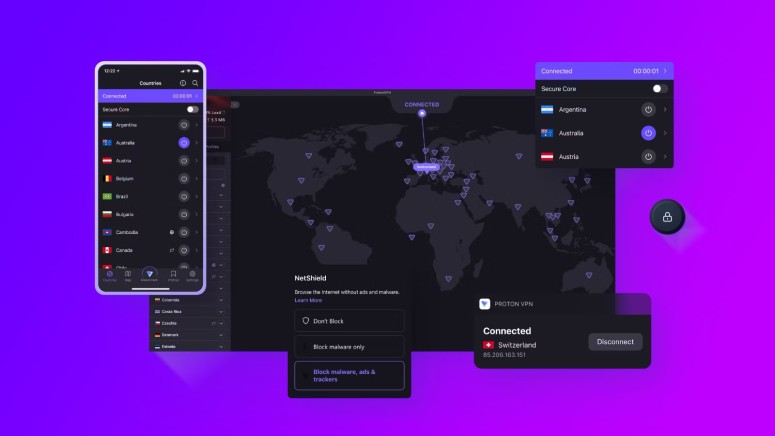
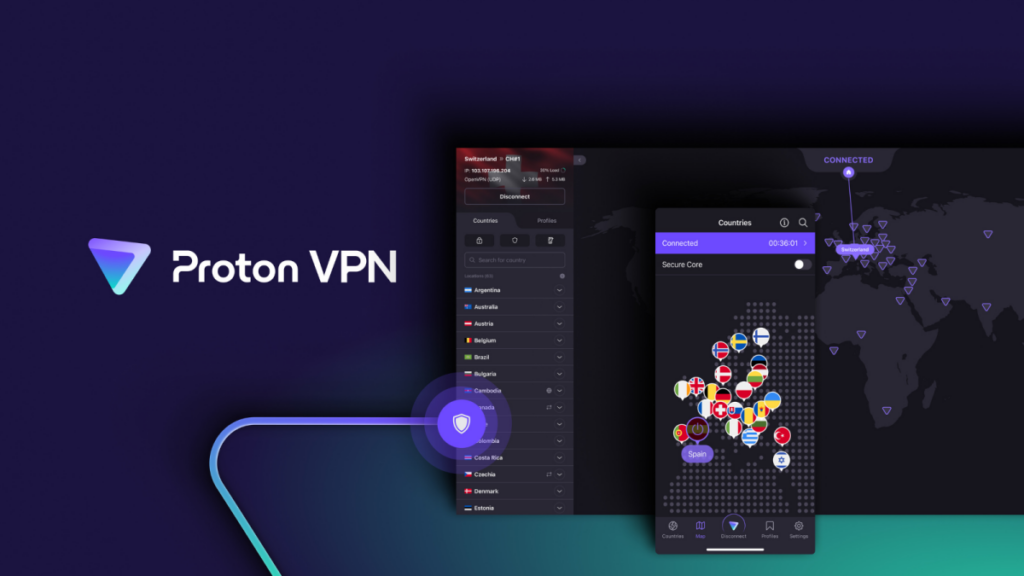
ProtonVPN offers a more detailed dashboard. You’ll see a world map and a list of servers you can choose from.

For some users, this extra control is a big advantage. You can select specific countries or servers depending on what you need.

Think of it like this:

ExpressVPN feels like using a simple travel guide.
ProtonVPN feels like using a detailed map.

Both work well. It just depends on your preference.

Privacy and Security

Privacy is the main reason people install a VPN.

ExpressVPN Security

ExpressVPN uses:

  • AES-256 encryption
  • strict no-logs policy
  • secure VPN protocols
  • strong privacy protection

This means your browsing activity is not stored.

ProtonVPN Security

ProtonVPN is developed by the same team behind Proton Mail, a service known for privacy protection.

Key features include:

  • strong encryption
  • strict no-logs policy
  • secure core servers
  • privacy-focused infrastructure

If you often connect to public WiFi in cafés, hotels, or airports, both VPNs provide excellent protection.

Using a VPN is similar to locking your luggage while traveling. It doesn’t stop you from exploring, but it keeps your personal information safe.

Speed and Performance

Speed is extremely important for activities like:

  • streaming videos
  • browsing websites
  • uploading photos
  • online shopping

ExpressVPN Speed

ExpressVPN is widely considered one of the fastest VPNs available.

Pages load quickly, and streaming content usually runs without buffering.

ProtonVPN Speed

ProtonVPN also offers good performance, especially on premium plans.

For normal browsing, streaming, and everyday internet use, the speed difference is usually small.

Most users will not notice much difference unless they are downloading large files or streaming ultra high definition video.

Server Locations

VPN servers determine where your internet connection appears to come from.

ExpressVPN

ExpressVPN operates servers in many countries worldwide, which makes it easier to access international websites and services.

ProtonVPN

ProtonVPN also offers a large server network and continues to expand globally.

For most users, both services provide enough server options to browse content from different regions.

For example, you might want to:

  • Check travel deals in New York
  • browse fashion trends in Tokyo
  • Read restaurant reviews in Paris

Both VPNs allow you to do that.

Streaming and Content Access

Many people use VPNs to watch content that may not be available in their country.

ExpressVPN Streaming

ExpressVPN has built a strong reputation for working reliably with major streaming platforms.

Streaming movies, shows, or travel documentaries usually works smoothly.

ProtonVPN Streaming

ProtonVPN also supports streaming and has servers optimized for entertainment platforms.

For casual streaming, both services perform well.

Pricing and Plans

Cost can also influence your decision.

ExpressVPN Pricing

ExpressVPN is often considered a premium VPN service. It costs more than many competitors, but users value its reliability and speed.

ProtonVPN Pricing

ProtonVPN offers several subscription options, including a free plan with limited features.

This makes it a good choice if you want to try a VPN before committing to a paid subscription.

Everyday Experience

Let’s imagine a real-life scenario.

You’re staying in a boutique hotel and using WiFi to browse travel blogs or shop online.

With ExpressVPN, you press one button, and everything works automatically.

With ProtonVPN, you might choose the server location that matches your needs.

Both experiences work well. The main difference is simplicity versus customization.

How to Choose the Best VPN

If you’re still deciding between ProtonVPN and ExpressVPN, consider these tips.

Choose ExpressVPN if you want:

  • extremely fast speeds
  • a simple interface
  • strong streaming performance

Choose ProtonVPN if you want:

  • advanced privacy features
  • a free plan option
  • more control over servers

The best VPN is the one that fits naturally into your daily internet use.

Final Verdict

Both ProtonVPN and ExpressVPN are excellent VPN services.

ExpressVPN stands out for speed, simplicity, and streaming reliability.

ProtonVPN stands out for privacy tools, flexibility, and its free plan.

If you spend time browsing travel websites, shopping internationally, or connecting to public WiFi while working remotely, either VPN will help keep your connection secure.

At the end of the day, the right VPN is the one that helps you explore the internet safely and confidently.